See below for information on editing the content of website pages.
- Go to Admin Tools > Manage External Website > Click Go
- Locate the page you wish to update and/or add content to
- Some pages will have a lock symbol that is completely or partially closed. You can only add/edit content for the pages with an open lock or no lock.
- When updating content for each page, you can type words into the box and it will preset with an approved font.
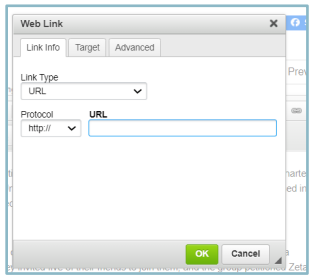
- To add a hyperlink, you will click the link icon. This includes adding a clickable email address.
- If you would like to add a picture and/or video, you can use the icons at the top of the page. Videos can only be added as embedded YouTube or Vimeo videos.

- To add a hyperlink, you will click the link icon. This includes adding a clickable email address.