Yes, there is a page that allows you to link social media pages to your chapter's website. Please see below.
- Go to Admin Tools > Manage External Website > Click Go
- Click Follow Our Chapter from the left menu
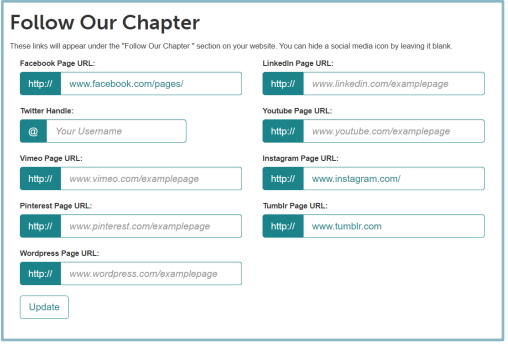
- Add your social media page links. *Please note: only the pages you have added links for will appear on your website.
- Click Update
- Add your social media page links. *Please note: only the pages you have added links for will appear on your website.